


Live Wallpapers - VibeWalls
4.7387.00 Reviews
App Specs
- Version
- 1.0.76
- Updated On
- License
- Free
- Downloads
- 100,000+
- Developer
- Hong Kong Mishi Technology Co., Limited
- Categories
- Personalization
- Platform
- Android
Screenshots
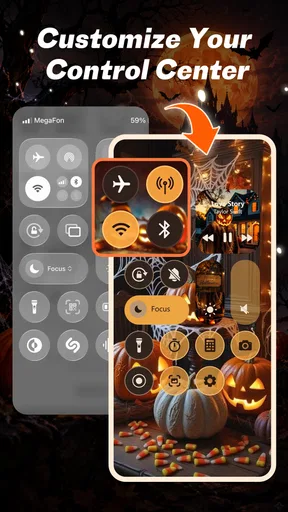
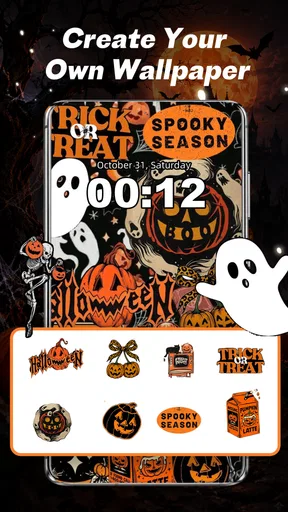
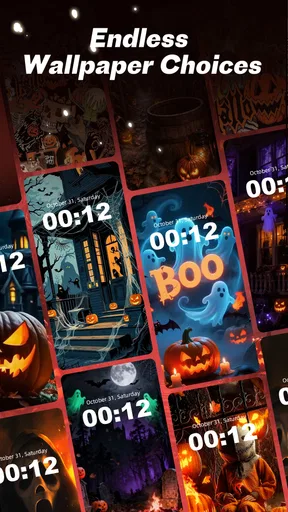
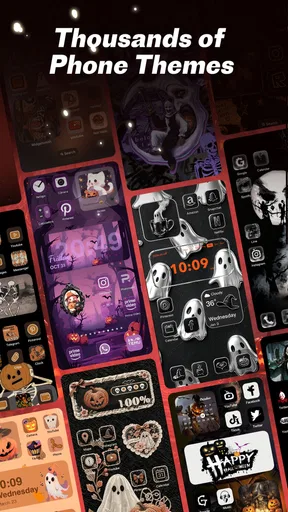
 Analysis by AppCompare
Have you ever felt that your phone’s wallpaper game is a bit... meh? I recently stumbled upon an app that might just jazz up your screen in a way you never imagined. Let me introduce you to VibeWalls-Live Wallpaper&Theme. This app is like a breath of fresh air for your home screen, and I’ve got to say, it’s been quite an experience exploring all its features!
Getting Started with VibeWalls
Diving into VibeWalls-Live Wallpaper&Theme is like opening a treasure chest of vibrant visuals. The app greets you with a user-friendly interface that’s straightforward and easy to navigate. Even if you’re not the most tech-savvy individual, you’ll find it pretty intuitive. First things first, you’ll want to create an account. It’s not mandatory, but it’s a step worth taking if you want to access all the personalized features.
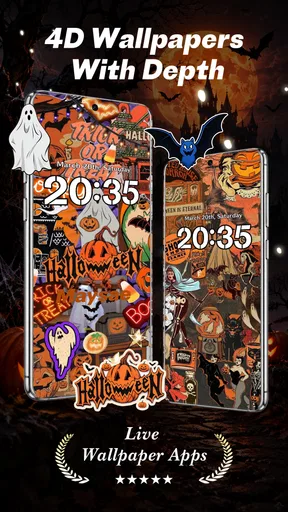
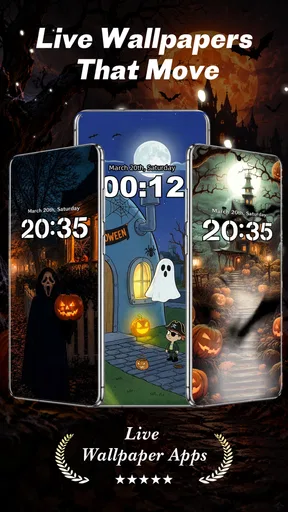
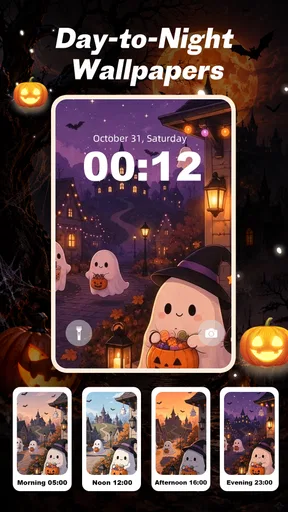
Once you’re in, you’ll see a variety of categories to explore. From serene landscapes to dynamic abstract art, there’s something for every taste. And let’s not forget the live wallpapers, which are the real stars of the show. These aren’t your average wallpapers – they move, shimmer, and react in ways that are bound to catch your eye every time you unlock your phone.
Exploring the Features
Now, let’s talk features. VibeWalls offers a plethora of options to customize your wallpaper experience. You can choose from a wide selection of static images or go for the live wallpapers if you’re feeling adventurous. The app also offers a handy preview feature. This means you can see how a wallpaper looks on your screen before committing to it. Pretty neat, huh?
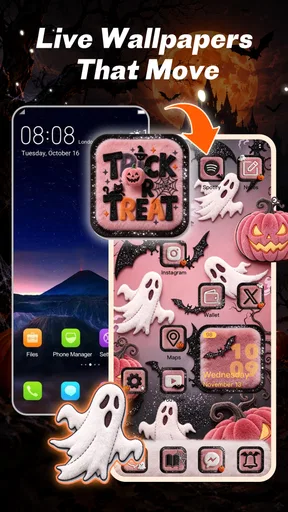
One of my favorite features has to be the theme customization. Not only can you set a wallpaper, but you can also choose themes that adjust the icons and widgets to match your wallpaper. This creates a cohesive look that just screams style.
Performance and Usability
In terms of performance, VibeWalls is a smooth operator. I didn’t experience any lag or crashes, which is always a relief. The live wallpapers are optimized to ensure they don’t drain your battery, a crucial factor for those of us who are always on the go.
The app also offers a notification feature for new wallpapers, which is a nice touch. It means you’ll never miss out on the latest trends or seasonal specials. Who doesn’t love a festive wallpaper during the holidays?
Worth Reading Before You Choose

EA SPORTS FC Mobile 26 Is a Bigger Football Game, but It Takes Time

Flipboard Shows What News Apps Must Do Beyond the Feed

Switching to Android Auto Means Rethinking Your Driving Routine

Google Calendar Makes a Crowded Week Easier to Manage

Ludo King Makes the Most of the Minutes Between Plans

Baby Panda World Brings Quick Play to Modern Phones, but Its Game Library Feels Busy
Final Thoughts
As someone who loves a bit of flair on my home screen, VibeWalls-Live Wallpaper&Theme has been a delightful discovery. It’s packed with options that cater to all kinds of aesthetic preferences. Whether you’re into minimalism or you love a splash of color, you’ll find something that suits your style. Plus, the app’s performance ensures that adding a touch of personality to your phone doesn’t come at the expense of functionality.
If you’re looking to give your phone a visual upgrade, I’d recommend giving VibeWalls a try. It’s a free download, so why not take it for a spin and see how it transforms your digital space? You might just find yourself spending a little extra time on your home screen, admiring your new wallpaper. Happy customizing!
Why the live effect changes the feel of a screen
The most distinctive idea here is not simply having another image to choose from; it is making the background feel less fixed. A subtle animated scene can give a phone a little more character without asking you to reorganize the way you use it. I’d treat that movement as atmosphere rather than information: it can make unlocking the screen more enjoyable, but it should not compete with app labels, widgets, or notifications.
That distinction matters when choosing a design. A busy animation may look impressive in a preview but become tiring behind a crowded home screen. I’d start with a wallpaper whose colors and movement leave calmer areas where icons sit, then judge it during ordinary use rather than only while browsing. The preview is useful for avoiding a poor first choice, but the real test is whether the screen remains easy to scan after the novelty wears off.
A practical way to choose and keep a wallpaper
For a low-friction setup, I’d browse with a specific mood in mind instead of scrolling indefinitely: for example, a quiet background for workdays or brighter colors for a personal phone. Preview a candidate, check how it sits behind your usual icons and widgets, and only then apply it. This small sequence helps separate an image that looks good by itself from one that works as part of your actual layout.
A useful trade-off is to change the background less often than the app makes possible. Constantly switching can make a phone feel fresh, but it also means you spend more time choosing than enjoying the result. I’d save a short list of favorites mentally or take note of the designs that remain legible and comfortable over several days. That approach is especially helpful if you use a live effect: a restrained choice is more likely to feel pleasant every time you unlock the device.
Where it fits into an everyday routine
Imagine checking your phone between errands, then returning to it at your desk later. A wallpaper that is attractive at a glance but leaves the screen readable serves both moments better than an elaborate design that demands attention. I’d choose a calmer live scene for a work-focused home screen, and reserve more colorful options for a personal device or a layout with fewer icons. The point is not to make every unlock an event; it is to make the screen feel more like yours without slowing down the task you picked up the phone to do.
If you share a device with family or use it for practical tasks, a clear static image may be the more sensible choice. It is easier to keep visually quiet, and it avoids adding motion when you simply want to find an app quickly. VibeWalls is most appealing when personalization itself is part of the goal, rather than when you want the plainest possible background.
How it compares with simpler alternatives
The built-in wallpaper picker is often the quickest option if you only want to select an image already on your phone and move on. A dedicated personalization app makes more sense when you want to browse for a coordinated visual direction and consider animated backgrounds alongside still images. VibeWalls also presents itself as a place to bring wallpaper and home-screen styling together, which may appeal to someone who likes a matched look rather than choosing each element separately.
That does not make it automatically better than every alternative. If your priority is using your own photos, keeping the interface completely minimal, or avoiding live backgrounds, your phone’s native settings may be enough. Likewise, anyone who enjoys carefully arranging every icon and widget may prefer to make those changes manually, since a ready-made coordinated style can feel less personal than a layout assembled piece by piece.
What to consider before settling on it
VibeWalls is a free personalization app from Hong Kong Mishi Technology Co., Limited, with optional in-app purchases ranging from $0.49 to $19.99 per item. I’d explore the free experience first and decide whether the available choices suit my taste before spending anything. That is a practical way to approach any customization app: the value depends on whether you actually keep and enjoy a design, not on how many options appear while browsing.
The app is rated for Everyone, and its current version is 1.0.16. It has a 4.5 average from around 110 ratings, with 10K+ installs. Those figures suggest that people are finding and rating it, but they do not tell me whether every wallpaper will suit a particular screen or personal style. I’d still use the preview and my own everyday layout as the deciding factors.
It is also worth keeping expectations grounded around battery claims and device behavior. Animated backgrounds can feel different from still images in day-to-day use, and the effect can depend on how you use your phone. If battery life is your top concern, a static wallpaper is the cautious choice; if motion is the reason you are interested, try a restrained design and see whether it feels worthwhile in your routine.
Who is likely to enjoy the app
I’d recommend trying it if you enjoy refreshing your phone’s appearance, want to browse animated designs, or like the idea of tying a background to a more coordinated home screen. It is also a reasonable fit for someone who wants a visual change without manually hunting across several places for inspiration. The app runs on Android 7.0 or later, so checking your device’s operating system before installing is a simple first step.
I’d skip it if you rarely notice your wallpaper, prefer a completely static and distraction-free screen, or expect a customization app to replace detailed manual control over every part of your layout. The best result here comes from treating the wallpaper as one piece of the phone’s overall design. Choose something that complements the way you already use the screen, and the extra visual character feels like a small daily pleasure rather than clutter.
Overall, I see VibeWalls as a useful option for people who want their phone to feel more expressive, especially when a live background is the feature they actually care about. I’d start with a calm design, check it against my real home-screen setup, and keep it only if it stays comfortable after repeated use. That makes the app’s strongest idea—adding movement and personality to a familiar screen—work in a practical way, not just in a preview.
Pros
- Vibrant
- high-quality wallpapers.
- User-friendly interface design.
- Regular updates with new themes.
- Low battery consumption.
- Wide variety of customization options.
Cons
- Limited free content options.
- Contains in-app advertisements.
- Requires internet for updates.
- Occasional theme loading delays.
- Some themes are device-specific.
FAQs for Live Wallpapers - VibeWalls
What features does VibeWalls-Live Wallpaper&Theme offer?
VibeWalls-Live Wallpaper&Theme provides a wide array of live wallpapers and customizable themes for your device. It includes dynamic animations, 3D effects, and interactive features that respond to touch. You can also personalize your home screen with unique icons and widgets, ensuring an immersive and personalized user experience.
Is VibeWalls compatible with all devices?
VibeWalls is designed to be compatible with most Android and iOS devices. However, due to varying hardware specifications, some older models might not support all features, especially high-resolution animations. It's recommended to check the app's requirements on the download page to ensure compatibility with your device.
How does VibeWalls affect battery life?
Live wallpapers and dynamic themes can consume more battery than static images, as they require additional processing power. VibeWalls is optimized for performance, but it's advisable to monitor your battery usage initially and adjust settings as needed, such as reducing animation speed or using simpler themes to conserve battery life.
Are there in-app purchases in VibeWalls?
Yes, VibeWalls offers in-app purchases. While the app provides a selection of free wallpapers and themes, premium content and additional customization features are available through purchases. This allows users to access exclusive designs and advanced options, enhancing the overall experience if they choose to invest in these extras.
How can I ensure the security of my device when using VibeWalls?
VibeWalls is available on official app stores like Google Play and the Apple App Store, which ensures a level of security. To maintain device safety, always download updates promptly to benefit from security patches. Additionally, review app permissions carefully to ensure that VibeWalls only accesses necessary data and functions on your device.


